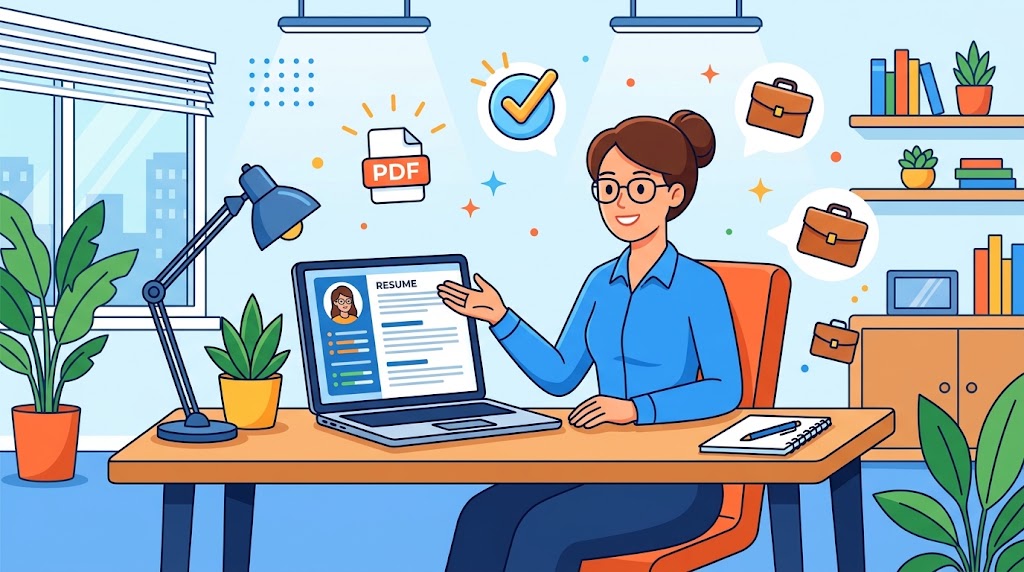
Ways to Prepare CV Online for Free: Key Takeaways and Overview
Learning how to prepare cv online for free is the fastest, most cost-effective way to modernize your job application without paying expensive graphic designers. Corporate recruiters spend an average of six to eight seconds scanning an initial application, which means your visual hierarchy must communicate immediate value.
Before exploring our complete optimization blueprint, review these core takeaways for building a high-converting career document using a free online resume builder today:
• Prioritize Clean Typography: Select ATS-friendly CV templates featuring standard, readable fonts like Calibri, Arial, or Garamond so automated screening software parses every word accurately.
• Lead With Measurable Impact: Replace passive job descriptions with quantifiable performance metrics that prove how your daily actions generated revenue or saved time.
• Verify Export Settings Early: Always rely on no sign up tools to prepare cv online for free or transparent open-source platforms that allow you to download CV as PDF free without intrusive watermarks.
Why Cloud-Based Resume Builders Are Essential for Modern Hiring
Gone are the days of wrestling with broken margins and shifting tables in desktop word processors every time you add a single line of text. Cloud-based resume editors automatically align your employment dates, section dividers, and bullet points into a professional resume format that looks crisp on any monitor.
Modern recruitment teams depend heavily on Applicant Tracking Systems (ATS) to categorize and rank incoming candidates before a human hiring manager ever opens a file. Following a structured step by step guide to prepare cv online for free ensures your underlying document code and heading hierarchy match the exact parsing rules used by enterprise recruitment software.
Additionally, browser-based platforms make customizing your application for distinct roles effortless. You can duplicate your master file in seconds, reorder your core competencies to mirror a target job description, and maintain a customizable resume layout that spotlights your strongest qualifications immediately.
How to Prepare CV Online for Free Using ATS-Compliant Layouts
Understanding how to prepare cv online for free without watermark restrictions begins with selecting trustworthy career platforms. Many commercial builders advertise zero-cost creation, only to trap your finished document behind a surprise payment screen right after you spend two hours entering your employment history.
To avoid paywall traps, utilize open-source applications like Reactive Resume, Google Docs templates, or Canva’s free workspace. According to career documentation guidelines published by Harvard University Career Services, maintaining a clean, single-column structure with reverse-chronological sections remains the most reliable way to pass both automated screening and human review.
When browsing ats friendly templates to prepare cv online for free , never place vital contact details inside the document header or footer blocks. Older parsing algorithms frequently skip header fields entirely, which can cause recruiters to miss your phone number, email address, or professional portfolio link.
Writing Metric-Driven Bullet Points That Capture Recruiter Attention
Even the sharpest visual layout will fall flat if your experience section reads like a generic list of daily chores. When you prepare cv online for free , draft every bullet point using the proven Action Verb + Specific Task + Quantifiable Outcome formula to demonstrate tangible workplace ownership.
Mastering how to write work experience in a free online resume requires shifting your focus from routine duties to measurable achievements. Rather than writing that you “handled customer support emails,” state that you “resolved 50+ daily technical inquiries with a 97% satisfaction score, cutting response backlog by 30%.”
You should also study professional summary examples for free online cv makers to craft a punchy three-line pitch at the top of page one. Once your document is polished, pair your application strategy with our how to make a resume google docs so you can defend your metrics confidently during live hiring panels.
5 Fatal Resume Mistakes and HR Red Flags That Trigger Instant Rejection
After reviewing thousands of applications across corporate HR departments, I consistently see qualified professionals rejected over preventable formatting errors. One of the most common mistakes when building a digital resume online is inserting visual skill-level bars, circular charts, or star ratings that confuse automated text parsers.
Claiming you are “85% skilled in financial modeling” through a graphic slider wastes prime page real estate and provides zero context to a hiring manager. Instead, group your technical proficiencies, software tools, and industry certifications as clean, comma-separated text phrases under a dedicated skills heading.
Another major red flag is inconsistent date formatting or unexplained employment gaps caused by careless copy-pasting. Whether you prepare cv online for free for fresh graduates or executive leadership positions, double-check that all past roles use past-tense verbs while your current role uses present-tense verbs.
Watch this expert breakdown on structuring a clean, high-converting resume from scratch:
Frequently Asked Questions About Building a Digital Resume
Navigating online career tools often brings up practical concerns regarding document security, file compatibility, and recruiter preferences. When searching for the best platform to prepare cv online for free in 2026 , candidates want certainty that their personal data stays private and their layout exports cleanly.
Many job seekers also ask whether talent acquisition specialists can spot the difference between a free template and a paid custom design. In reality, HR directors care strictly about visual clarity, relevant keyword alignment, and verifiable career progression rather than the price of your software.
Below, we answer the most frequent technical questions professionals ask when they prepare cv online for free so you can submit your next application with complete confidence.
What Is the Best File Format When You Prepare CV Online for Free?
Whenever you prepare cv online for free and download pdf instantly , choosing between a PDF and a Word (.docx) file is a critical step. Unless an employer’s application portal explicitly requests a Word file, exporting your resume as a standard PDF is the safest choice to lock your fonts and spacing in place.
However, you must verify that your chosen builder generates a text-based PDF rather than a flattened image file. Open your downloaded document and drag your mouse cursor over the sentences; if you can highlight and copy individual words into a plain text editor, recruitment software will read your file effortlessly.
Also pay close attention to how you name your exported file before uploading it to a corporate portal. Save your document using a clean convention like “FirstName-LastName-CV.pdf” so recruiters can locate your file instantly inside their desktop folders.
How Often Should Professionals Update Their Cloud-Based Resume?
Waiting until you urgently need a new job to revise your career history is a stressful habit that causes you to forget key accomplishments. Because cloud editors make revisions effortless, you should log into your workspace once every three months to add new projects, training credentials, and performance numbers.
Maintaining an updated master profile ensures you never lose track of exact revenue percentages, cost reductions, or team workflows you led during busy quarters. When an unexpected leadership role or remote contract opens up, you can duplicate your master draft, trim older bullets, and submit your application within fifteen minutes.
By choosing to prepare cv online for free on a trusted cloud platform, you maintain 24/7 access to your professional portfolio from any device worldwide.


Leave a Reply