The Ultimate Guide to Choosing an Editable CV Format in 2026
Securing high-level interviews in today’s competitive landscape requires a strategic, well-structured editable cv format that adapts effortlessly to any application portal. Modern hiring pipelines rely heavily on automated parsing engines to evaluate your professional background long before a human recruiter ever reviews your credentials.
When your resume layout locks your achievements inside rigid design layers, you lose the agility needed to customize your core competencies for specific roles. An adaptable, clean structure empowers you to align your career milestones with exact job descriptions in minutes rather than hours.
Key Takeaways for Job Seekers: • Prioritize single-column, clean architectures that ensure 100% parsing accuracy across enterprise Applicant Tracking Systems. • Maintain a master document in Microsoft Word or Google Docs to enable rapid keyword customization. • Eliminate complex graphic elements, text boxes, and multi-column tables that scramble automated software parsers.
Why Modern Applicant Tracking Systems Demand Flexible Layouts
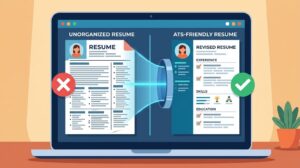
Enterprise recruitment software operates by stripping away visual styling to extract raw text into standardized digital candidate profiles. If your ATS friendly CV layout relies on floating graphics or non-standard encoding, the parser will merge your job titles with your dates of employment, rendering your profile unreadable.
According to career experts at Indeed Career Guide, utilizing standard section headers and straightforward chronology is the most reliable way to pass initial digital screenings. While exact software filtering rates vary by local market and industry, human resources directors universally prefer crisp, scannable documents over over-designed portfolios.
Using a professional resume template built on native word processing styles gives you total control over hierarchy and keyword placement. You can seamlessly adjust your professional summary and core skills matrix for every single application without breaking the underlying page margins.
How to Structure an Editable CV Format for Maximum Impact
Building a high-converting editable cv format begins with establishing a clear visual hierarchy using standard system typography like Arial, Calibri, or Georgia. Set your document margins to exactly one inch on all sides, ensuring generous white space that guides the recruiter’s eye naturally down the page.
Start with a clean contact header in the main body—never inside the document header tool, which many automated parsers completely ignore. Follow this immediately with a targeted executive summary, a dynamic core competencies grid, and your reverse-chronological work experience section.
When detailing your professional history, anchor every bullet point with strong action verbs and quantifiable performance metrics. If you want to refine how you present your daily achievements, review our comprehensive guide to writing quantifiable resume bullet points to transform basic job duties into compelling business outcomes.
Word vs Google Docs vs PDF: Selecting the Right File Type
Choosing the right software environment to maintain your customizable curriculum vitae directly impacts how quickly you can apply to time-sensitive openings. A Microsoft Word CV format (.docx) remains the gold standard for enterprise parsing accuracy because recruitment algorithms natively read its underlying XML structure without distortion.
Meanwhile, a Google Docs resume layout offers unmatched cloud accessibility, allowing you to duplicate and tailor your master file from any device. You can maintain separate version histories for different career tracks—such as project management versus operations—and export clean files on demand.
While PDF files preserve visual appearance across screens, you should never use a PDF as your primary working file. Always edit your credentials inside a native word processor first, and only export to PDF when an employer explicitly requests that format or when emailing a hiring manager directly.
Step-by-Step Blueprint to Tailoring Your Master CV Template
The true power of a modern editable resume lies in how effortlessly you can pivot your narrative for distinct job descriptions. Begin by building a comprehensive master document that houses every project, metric, certification, and technical skill you have accumulated throughout your career.
When you find a target role, save a fresh copy of your editable cv format and analyze the employer’s exact terminology. Swap out generic industry phrases in your top summary and skills section to mirror the exact phrasing found in the job posting, ensuring both semantic relevance and high keyword alignment.
Next, reorder your bullet points under your two most recent roles so the most relevant accomplishments sit at the very top of each section. Recruiters spend mere seconds scanning your initial page, so placing your strongest, role-specific evidence in the top third of the document dramatically increases interview conversion.
Critical Formatting Mistakes and HR Red Flags to Avoid
Many talented candidates unintentionally sabotage their applications by downloading visually flashy templates from graphic design platforms. These layouts frequently embed text inside vector shapes, skill progress bars, and multi-column tables that completely blind automated screening tools.
Watch this expert breakdown on structuring a clean, ATS-friendly resume:
From an HR director’s perspective, subjective skill ratings—such as giving yourself “4 out of 5 stars” in communication—are immediate red flags. They waste valuable vertical space and provide zero concrete context regarding how you actually applied that skill to solve workplace problems.
Furthermore, avoid inconsistent date formatting, shifting font sizes, or cramming text with narrow margins below half an inch. Keeping a clean, single-column editable cv format prevents formatting corruption when you delete or add lines during late-night application sessions.
Frequently Asked Questions About Editable CV Formats
Navigating technical resume requirements often raises practical questions about software compatibility, layout durability, and recruiter preferences. Below, we address the most critical inquiries candidates face when building and maintaining a flexible application document.
Whether you are transitioning industries or advancing toward executive leadership, applying these foundational rules will keep your profile technically sound. Review these expert answers to ensure your document performs flawlessly across every digital hiring platform.
What is the best program to create an editable CV format?
Microsoft Word and Google Docs are the undisputed industry standards for creating a reliable, editable cv format from scratch. Both platforms utilize standard text encoding that integrates seamlessly with enterprise Applicant Tracking Systems used by global corporations.
Unlike graphic design suites such as Canva or Adobe InDesign, traditional word processors organize text in a linear top-to-bottom stream. This linear architecture guarantees that your job titles, company names, and dates remain properly grouped during automated parsing.
Additionally, almost every career coach and recruitment agency operates on Word or Google Docs. Using these tools allows mentors or recruiters to leave inline comments and suggest edits without destroying your page layout.
Should I submit my editable CV in Word or PDF format?
Always check the specific file upload instructions on the employer’s application portal before submitting your document. If the portal accepts both .docx and .pdf files without stating a preference, submitting a clean Microsoft Word (.docx) file is the safest technical choice for older parsing engines.
However, if you are sending your resume directly to a hiring manager’s email inbox, convert your editable cv format into a text-based PDF first. A PDF locks your typography and line breaks in place so the document looks identical on smartphones, tablets, and desktop monitors.
Keep both versions saved in a dedicated folder for every job application you submit. Having your editable source file right next to your exported PDF makes pre-interview preparation and future updates completely effortless.



Leave a Reply